Train smarter.
Recover right.
Lift more.
FitCursor reads your HRV and resting heart rate each morning, then builds a workout calibrated to how your body actually feels, not a static program.
Get it on
Google Play
Coming soon
App Store
Free to download · Android · iOS coming soon
Home·Recovery & readiness, daily
Built for serious training. Backed by your data.
Recovery Intelligence
Know when to push. Know when to hold.
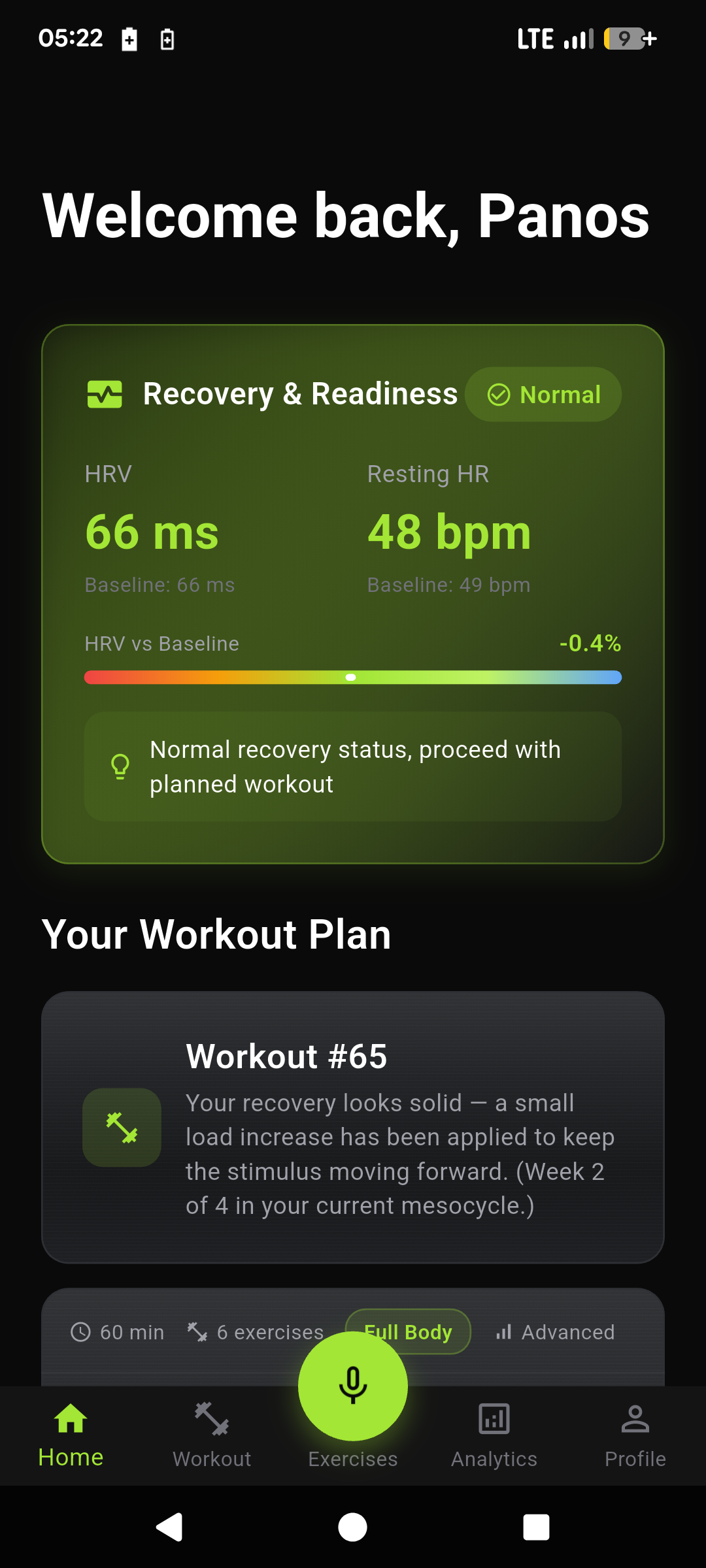
Every morning, Recovery & Readiness compares your HRV and resting heart rate to your personal baseline, then makes a plain-language call on whether to push, hold, or back off. Your Workout Plan sits right below, already adjusted for today.
- HRV and resting HR vs your baseline, with a visual bar and status
- Plain-language recommendation, not a vague score
- Next workout and mesocycle context (e.g. Week 2 of 4)
Workout Tracking
Say "10 reps 50 kg". Done.
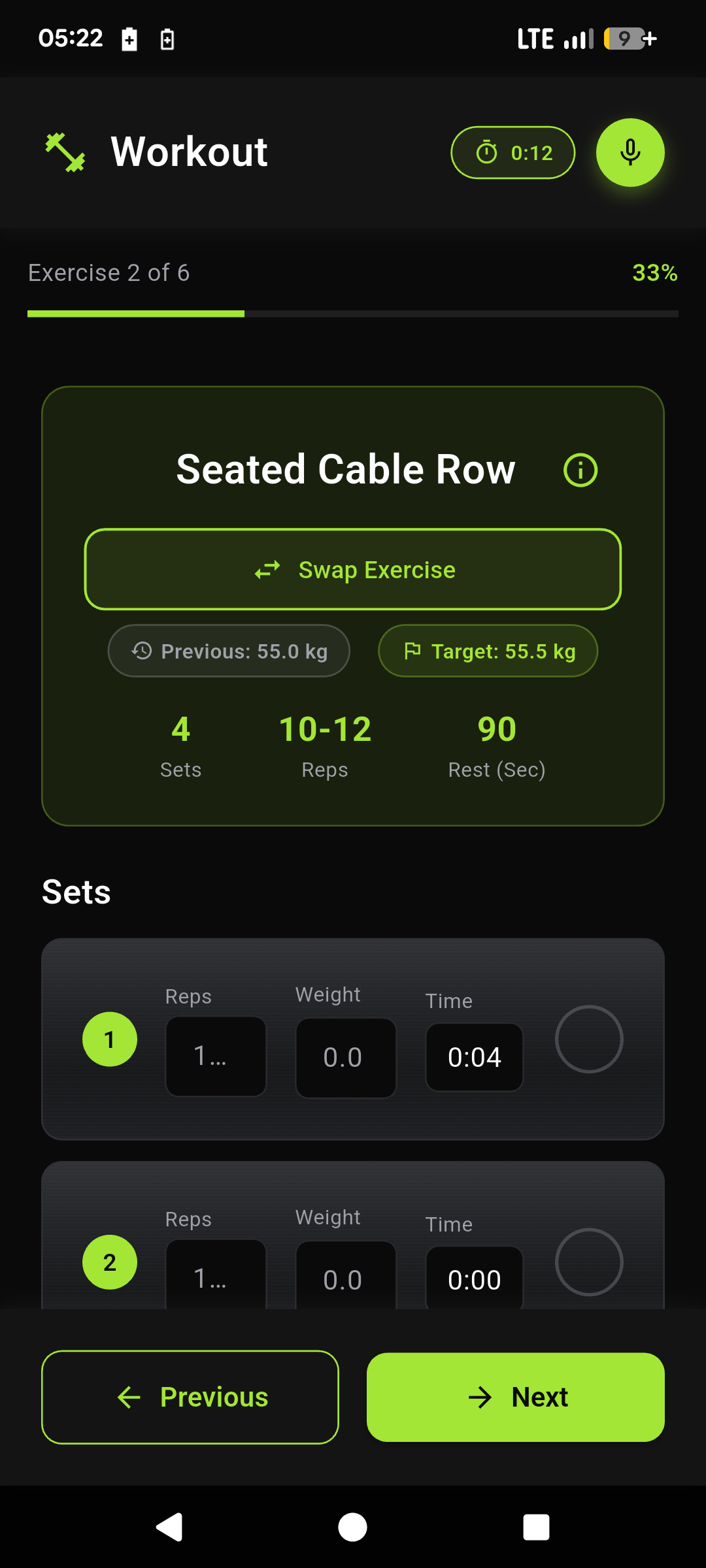
Log sets without putting down the bar. Say it and FitCursor fills your current set. Every exercise shows your previous and target load, and a rest timer takes over the screen after each completed set.
- Voice logging fills the active set, or add sets manually
- One-tap Swap Exercise when the rack is taken, with undo
- Rest timer after every set (+10s / Skip); rate the session's RPE at the finish
Muscle Map
See the work on the body.
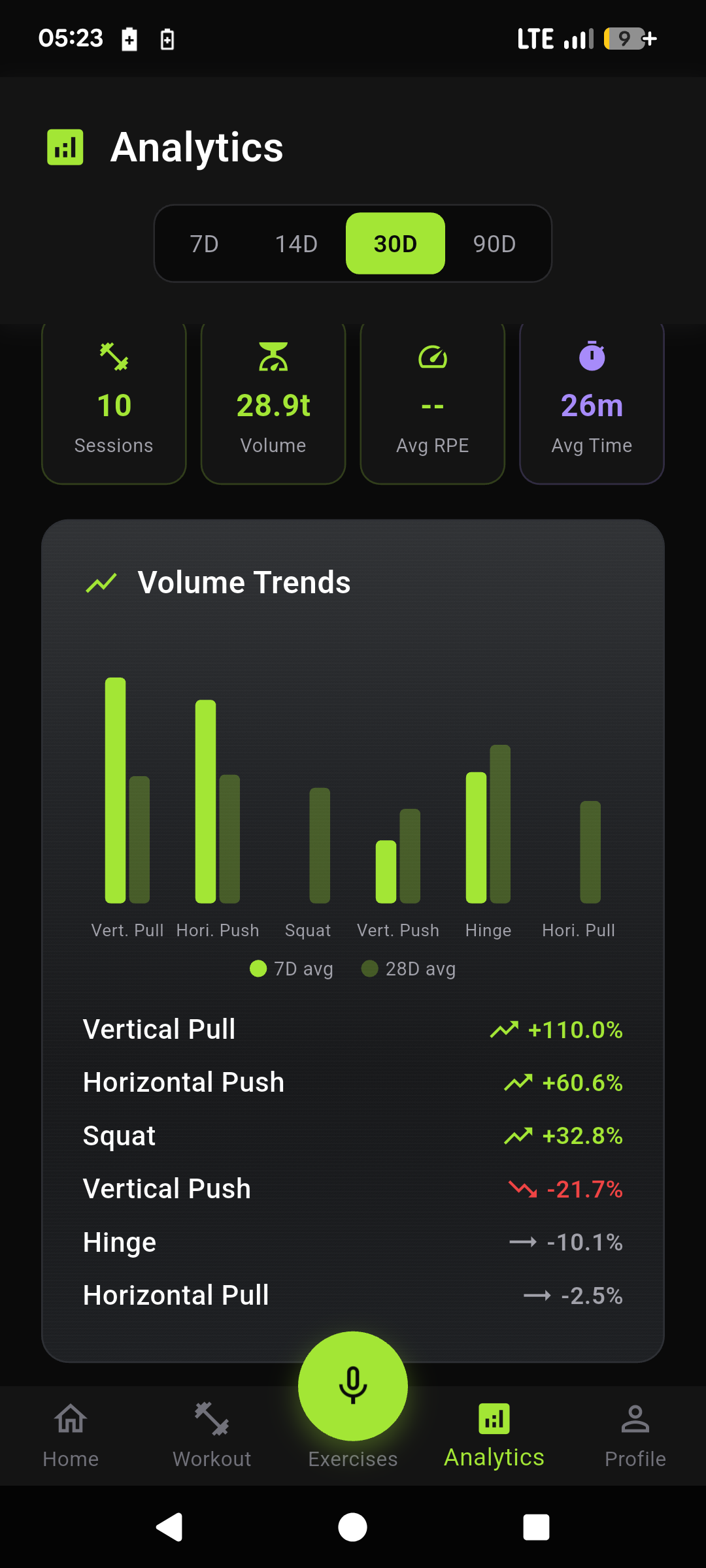
Stop staring at total tonnage. An interactive anatomical map, front and back, shows volume and progress per muscle, so you can see which muscles are growing and which are getting ignored.
- Progress (trend %) and Volume (heat) modes, front or back
- Tap any muscle for volume, sets, trend, and top exercises
- 7D / 14D / 30D / 90D / This Year, same period across Analytics
Strength Progression
Every lift, on a line.
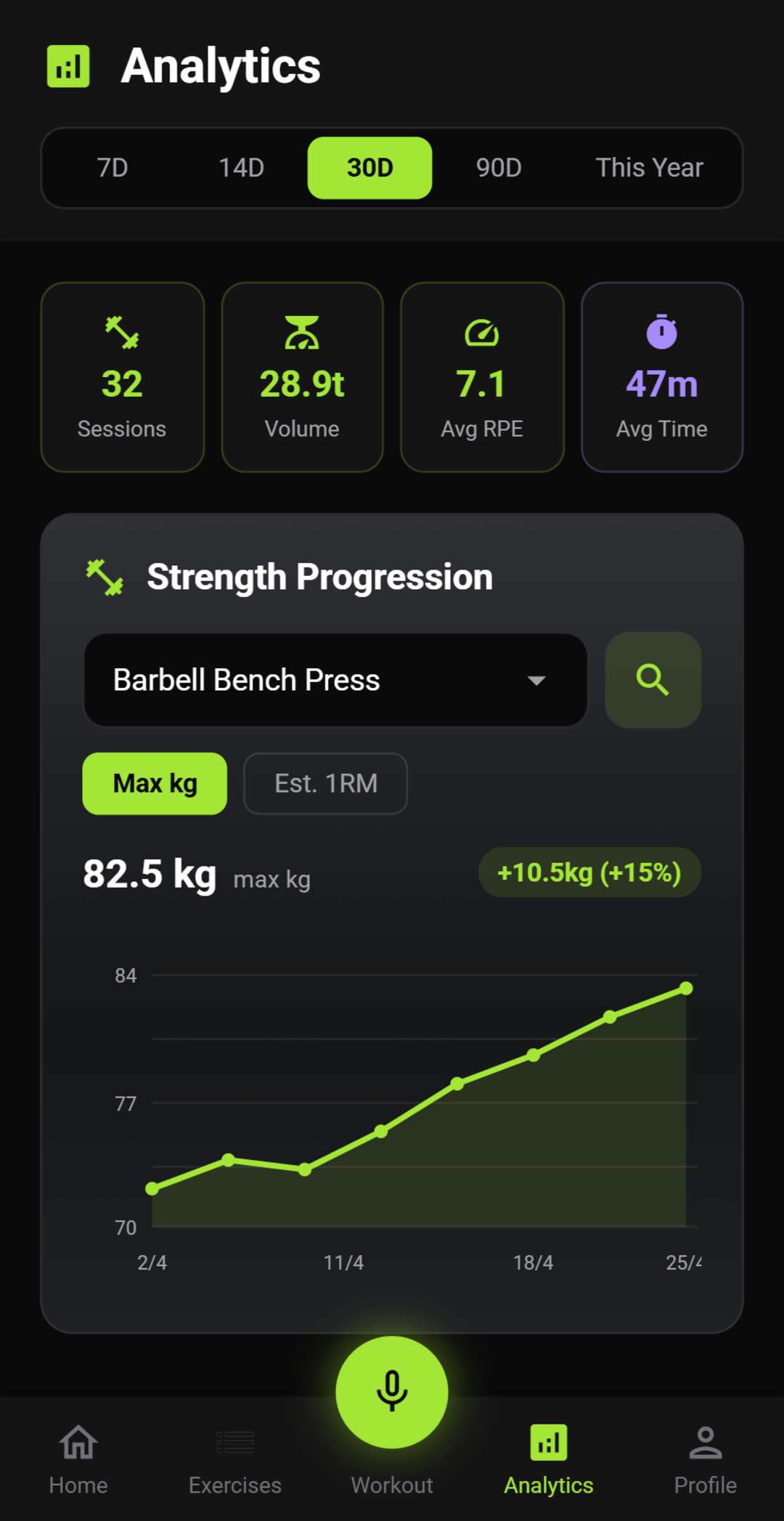
Pick any exercise and watch max weight or estimated 1RM move across the period you care about, from 7 days to this year. The chart is built from your actual sets, not a guess.
- Toggle max kg and Epley estimated 1RM
- Search your lift history; defaults to the exercise with the biggest gain
- Sessions, volume, average RPE, and average time in the same view
Training Load & PRs
Optimal, or overreaching. In English.
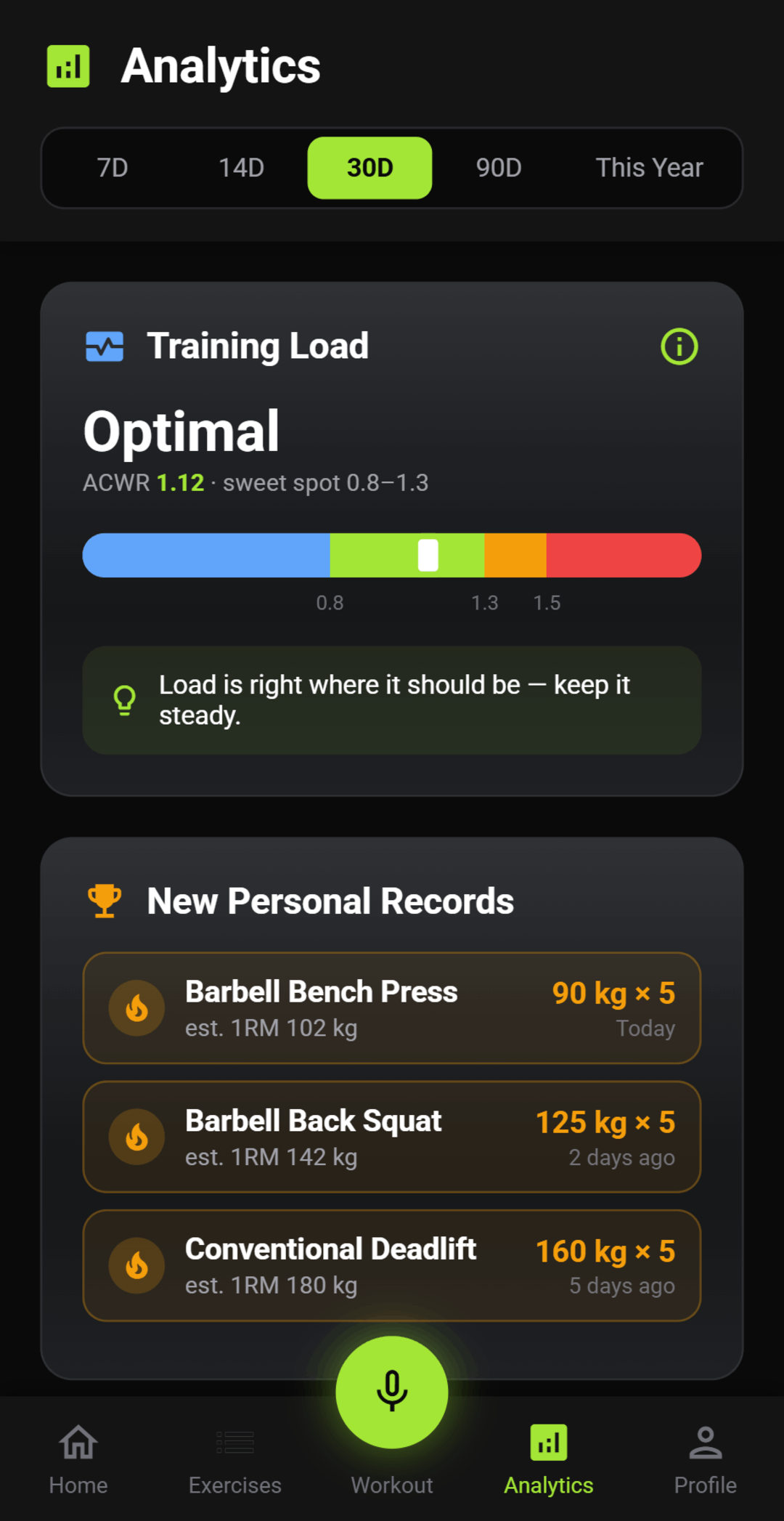
Acute:chronic workload ratio, shown as a verdict first. A zoned gauge tells you if you're in the sweet spot, backing off, or pushing too hard, and new PRs only appear when you actually beat your best.
- ACWR gauge with a plain-language status and a recommended next move
- Sweet spot marked at 0.8-1.3 so you can stay productive without frying yourself
- Personal records by estimated 1RM: weight × reps, dated, newest first
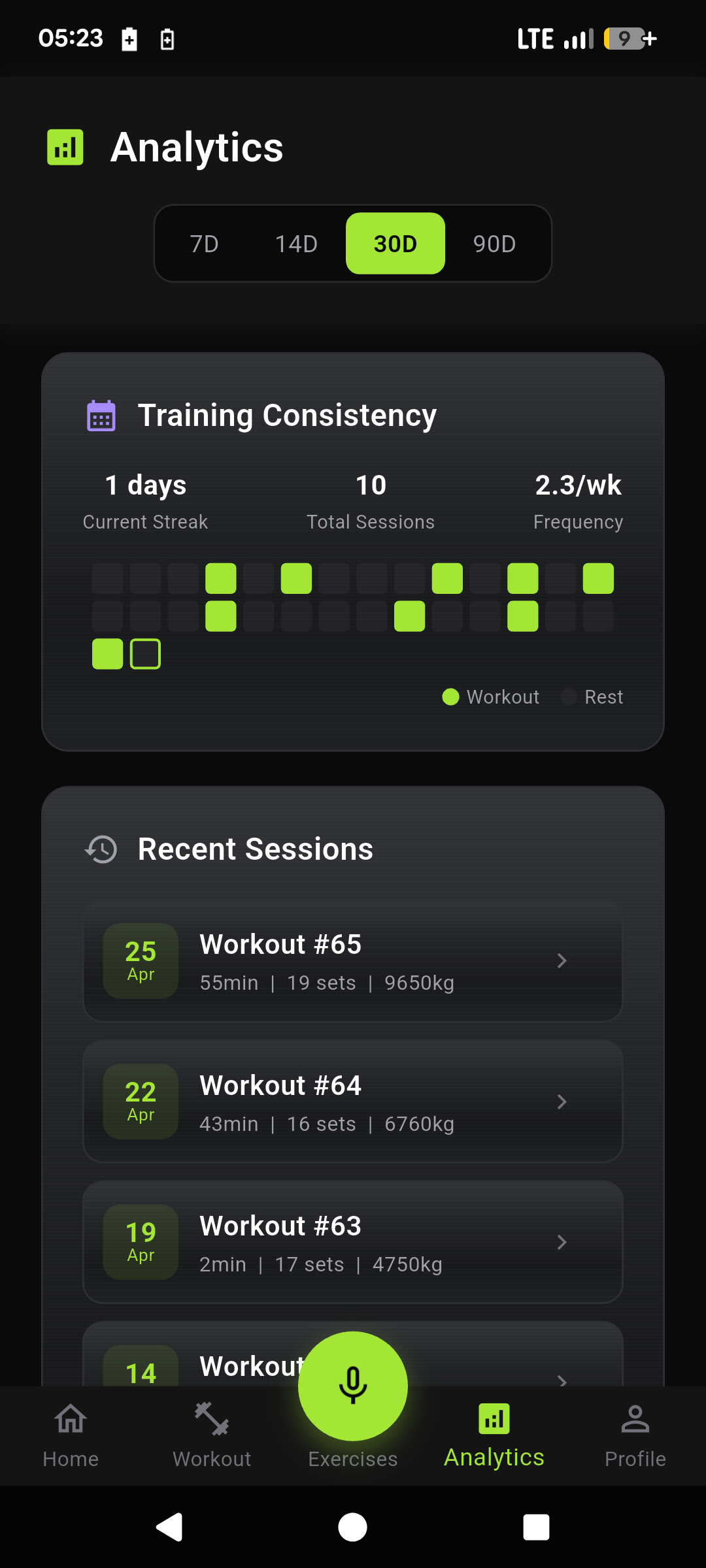
Training Consistency
Show up. See the streak.
A 30-day heatmap of work and rest, plus every recent session: duration, sets, volume, RPE. Filter 7 days, 14, 30, 90, or this year.
- Current streak, total sessions, and weekly frequency at a glance
- Recent sessions with RPE so you can see how hard the block actually was
- The same Analytics tab as the muscle map, strength charts, and training load
Connect Sources

Apple Health
SDKConnect Apple Health (iOS native)
dailysleepactivitybodynutrition
Fitbit
Connect your Fitbit tracker or smartwatch
dailysleepactivitybodynutrition ✓
✓Garmin
Connect your Garmin watch or device
dailysleepactivitybody
Health Connect
SDKConnect Health Connect (Android native)
dailysleepactivitybodynutrition
Huawei
Connect your Huawei watch or device
dailysleepactivitybody
Wearable Integration
All your devices. One plan.
Connect Apple Health, Health Connect, Fitbit, Garmin, Huawei, and more. FitCursor pulls sleep, HRV, activity, and recovery automatically, so training is always calibrated to the full picture.
- Apple Health and Health Connect via SDK, plus Garmin, Fitbit, Huawei, and 20+ more
- Sleep, HRV, activity, body, nutrition, and cycle data when your device provides it
- No manual import. Connect or disconnect anytime from Wearables
Ready to train smarter?
Get FitCursor.
It's free.
Recovery-aware training on Android now. iOS coming soon.
Get it on
Google Play
Coming soon
App Store